How to Enable Automatic Inventory Alerts from the GRUBBRR Portal
Last updated: August 8, 2026
I've enabled inventory tracking for my location; is there a way to get notified before an item is Sold Out on the Kiosk?
When you've enabled inventory tracking for your menu items, and you have an accurate "on hand" stock in the Portal, you will want to turn on automated alerts for items that have reached your preset "Low Threshold." These automated alerts make it easy to keep popular items in stock, and help avoid any potential disruptions to the flow of service at a location because a customer favorite is sold out.
You can enable these email alerts at the location level by following the steps outlined below.
Go to portal.grubbrr.com
1. Click "Inventory Management"

2. Click "Settings"

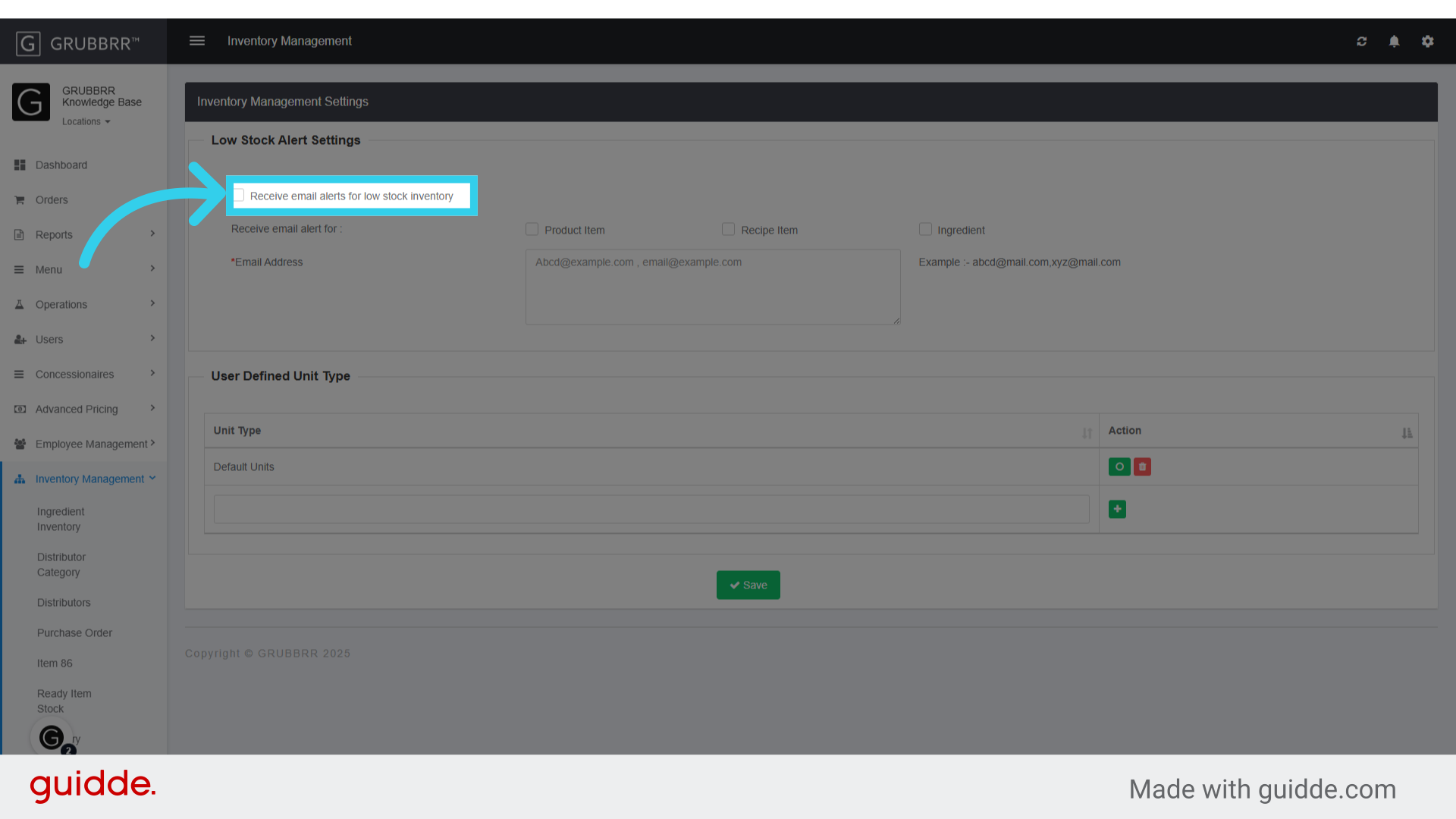
3. Click here to enable email alerts
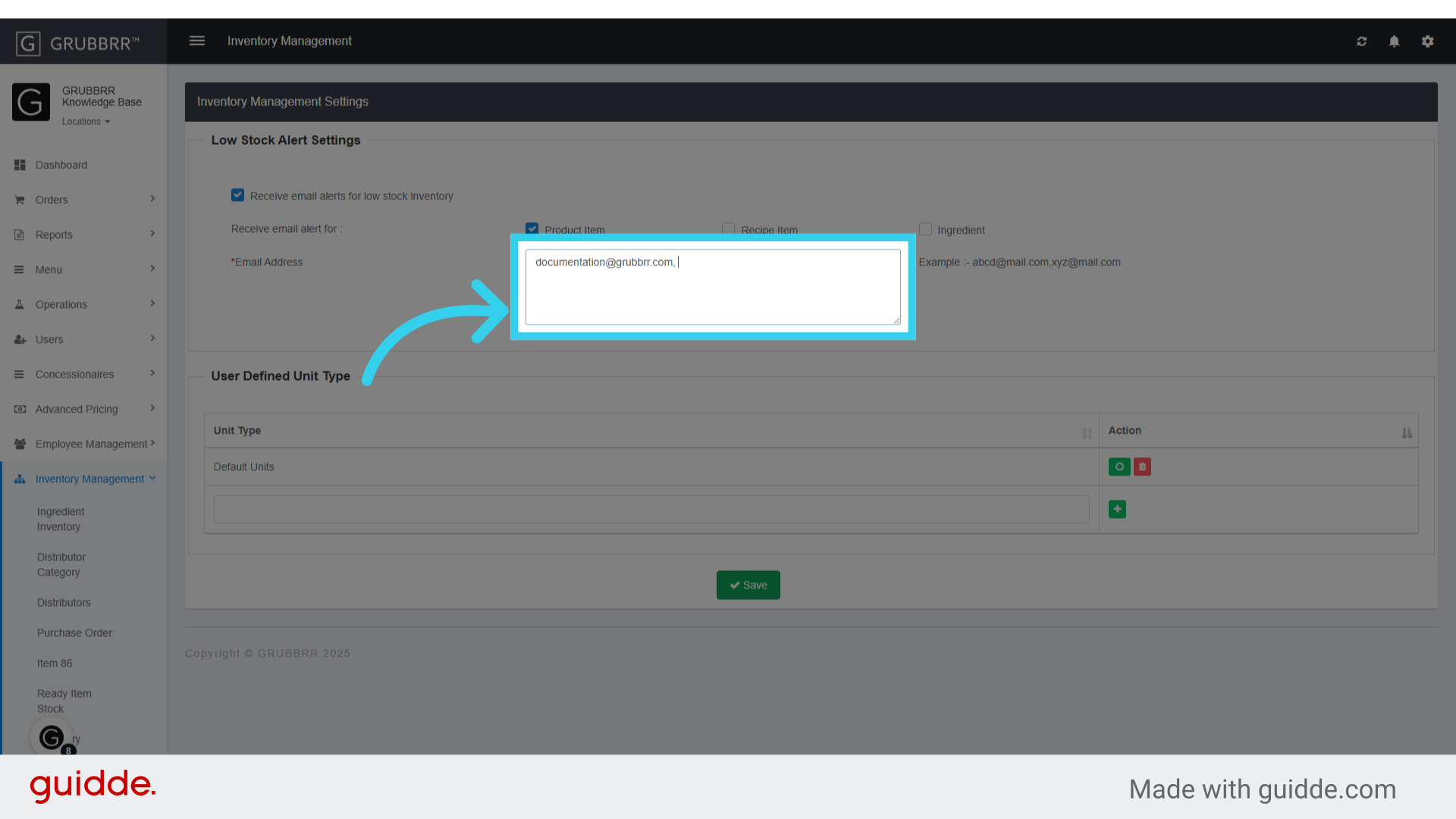
4. Make sure that "Product Item" is enabled

5. Enter the email address of the individual(s) who should receive these alerts
6. Click "Save" to apply your changes
