How to Get Automated Device Status Updates from the GRUBBRR Portal
Last updated: August 8, 2026
Is there a way to get an alert if my Kiosk runs out of paper, goes offline, or loses contact with the POS?
Can I get an alert if my Kiosk's payment device isn't working?
If you want to stay updated on the status of your Samsung Kiosk and its connected devices, you can opt to receive automated updates from the GRUBBRR portal's cockpit. With this feature activated, you'll receive email updates within fifteen minutes of your Kiosks, printers, payment devices, or GRUBBRR agents experiencing changes in their status, such as running out of paper or losing internet connectivity. If desired, the GRUBBRR Cockpit can even track the status of integrated PAR Brink, NCR, Olo, Toast, and Revel POS systems. To enable this setting, sign in to the GRUBBRR Portal at the location level and then follow the steps outlined below.
1. Click "Configure"
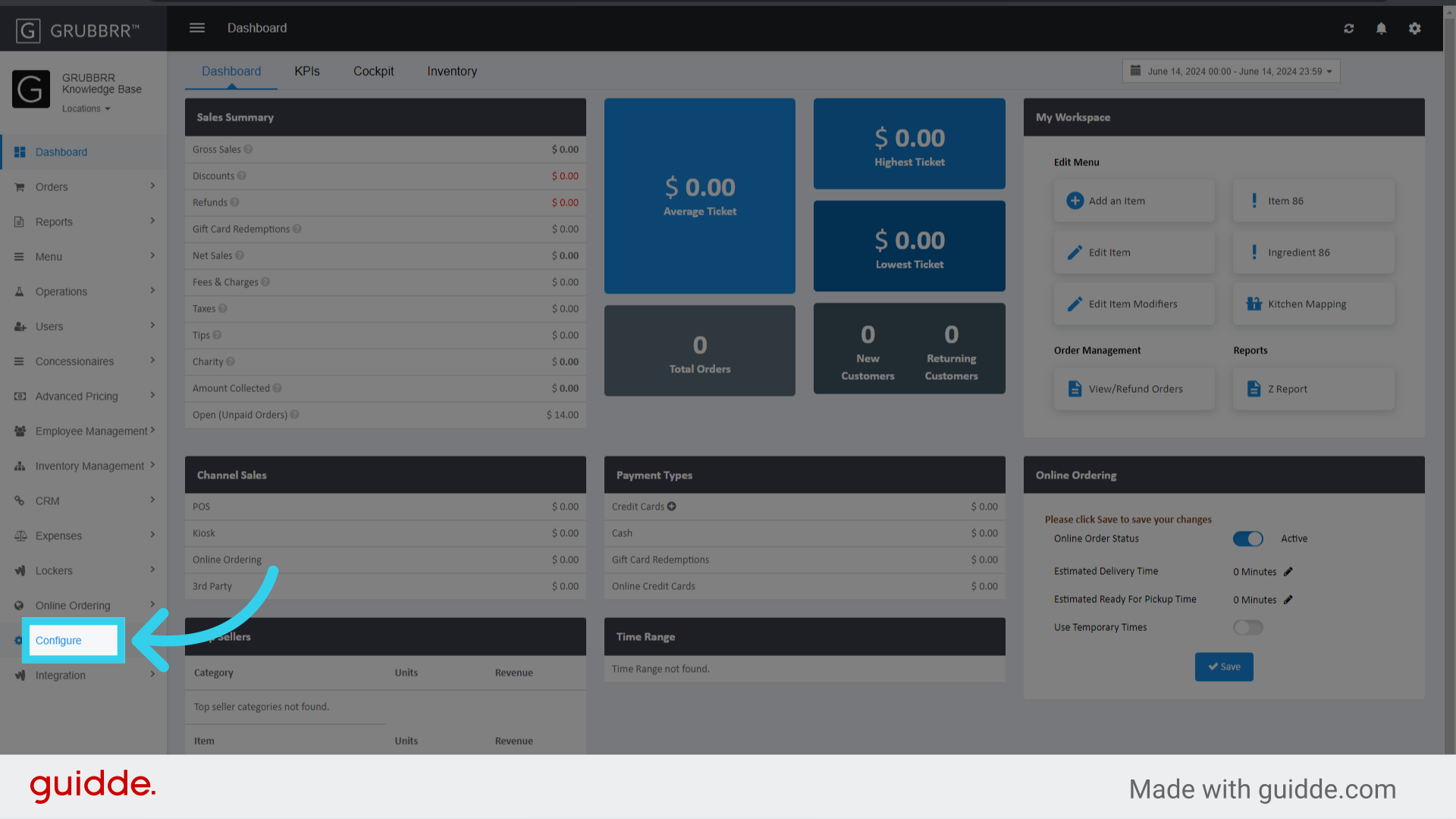
2. Click "General Settings"

3. Click "Send Device Status Email from Cockpit"
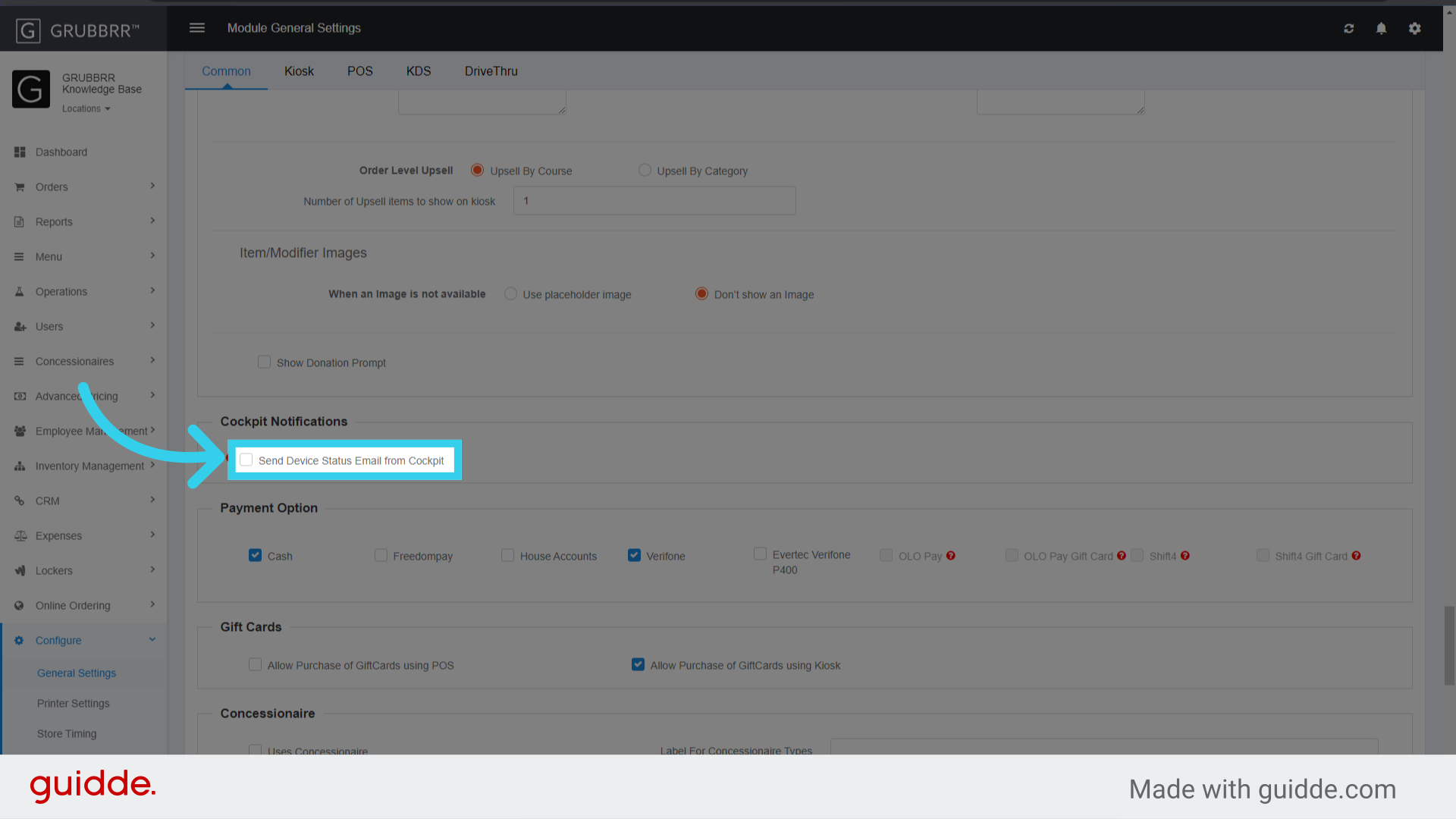
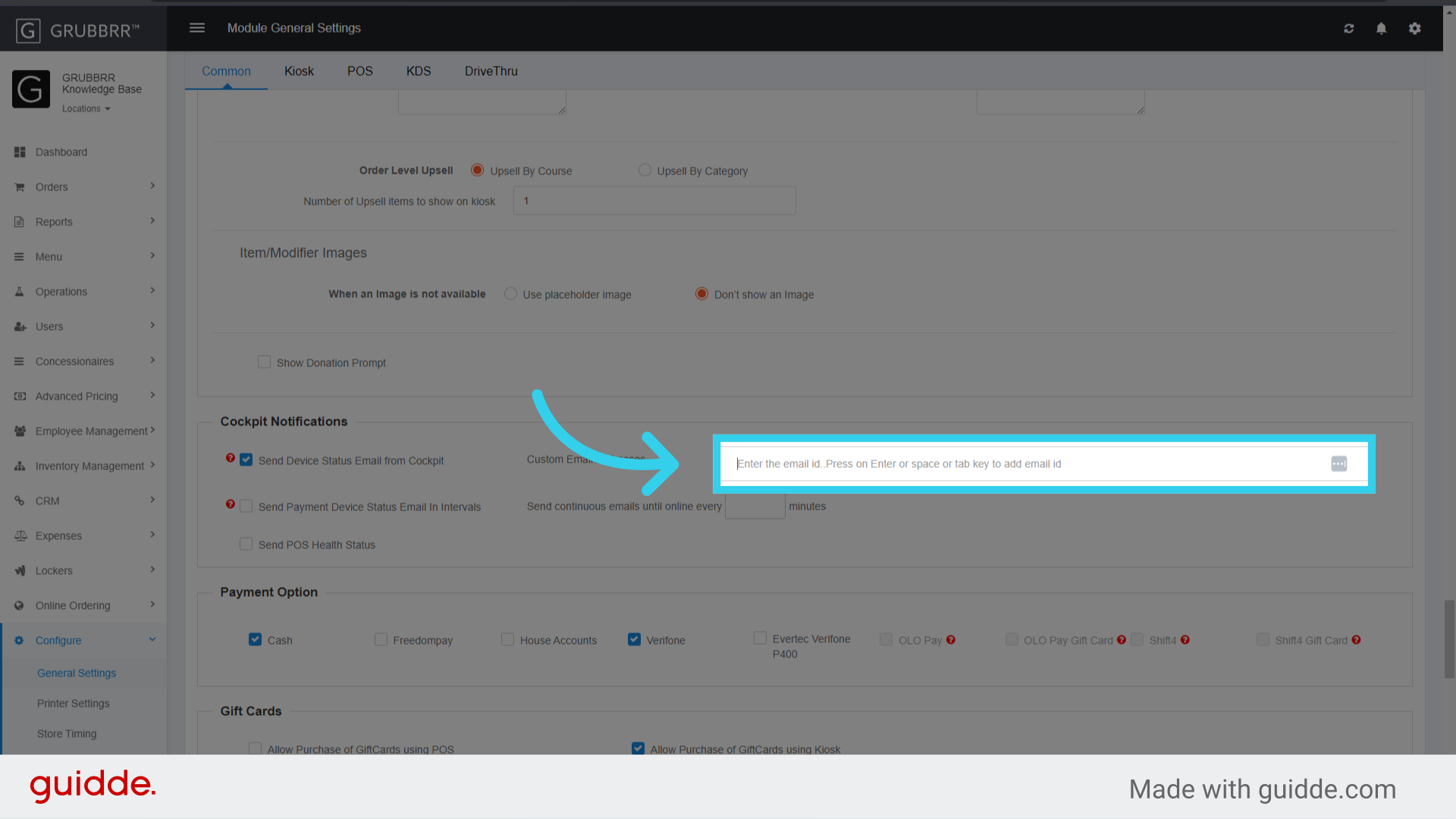
4. Enter the email address(es) that will receive the status updates
5. If desired, enable "Send Payment Device Status Email in Intervals"
This will track payment device connectivity, and send email updates if the device goes offline
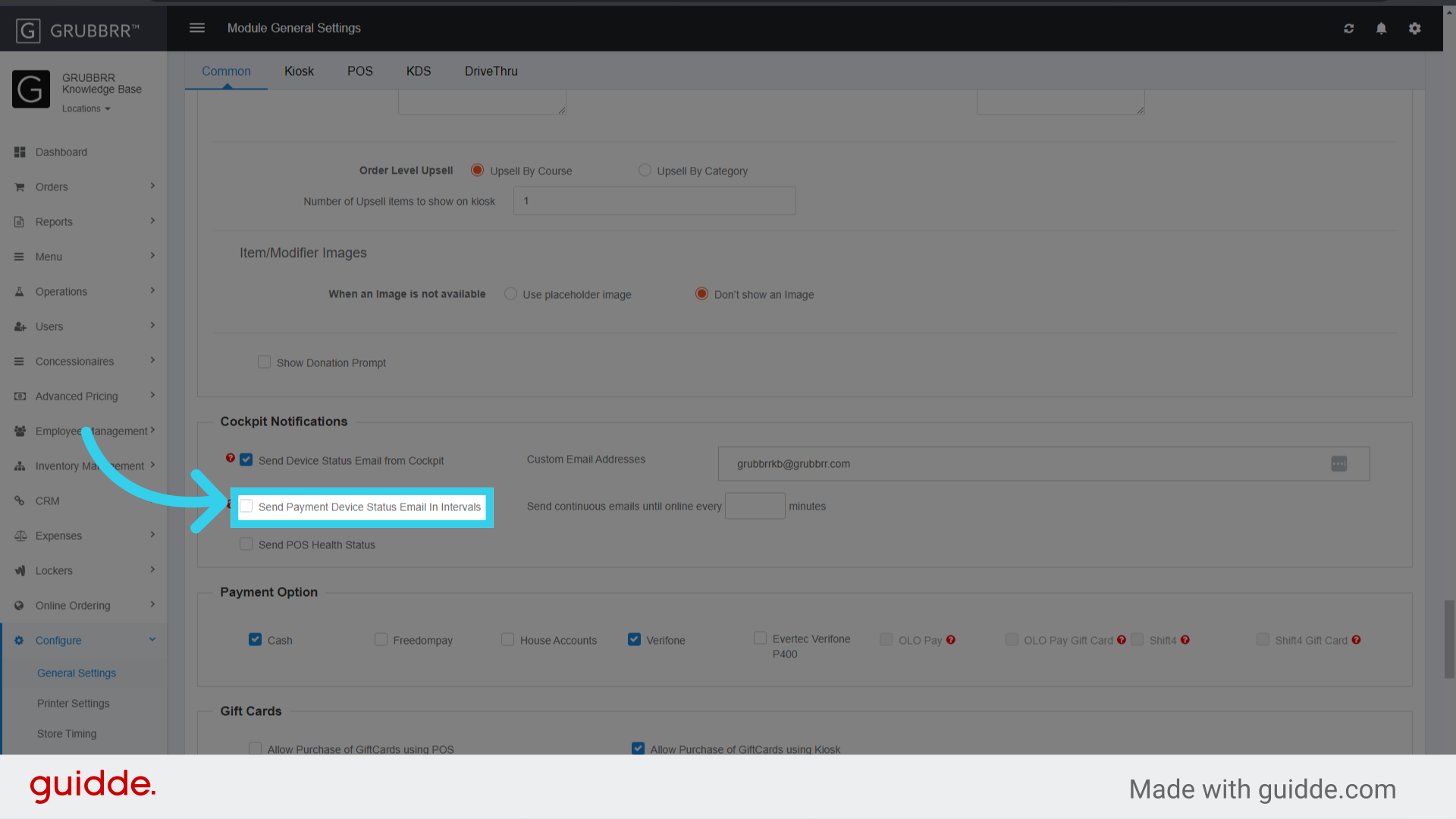
6. You can configure the interval to send emails here

7. If desired, click "Send POS Health Status"
The Portal will mark the POS as "Offline" if it can not be reached over a 15 minute time period
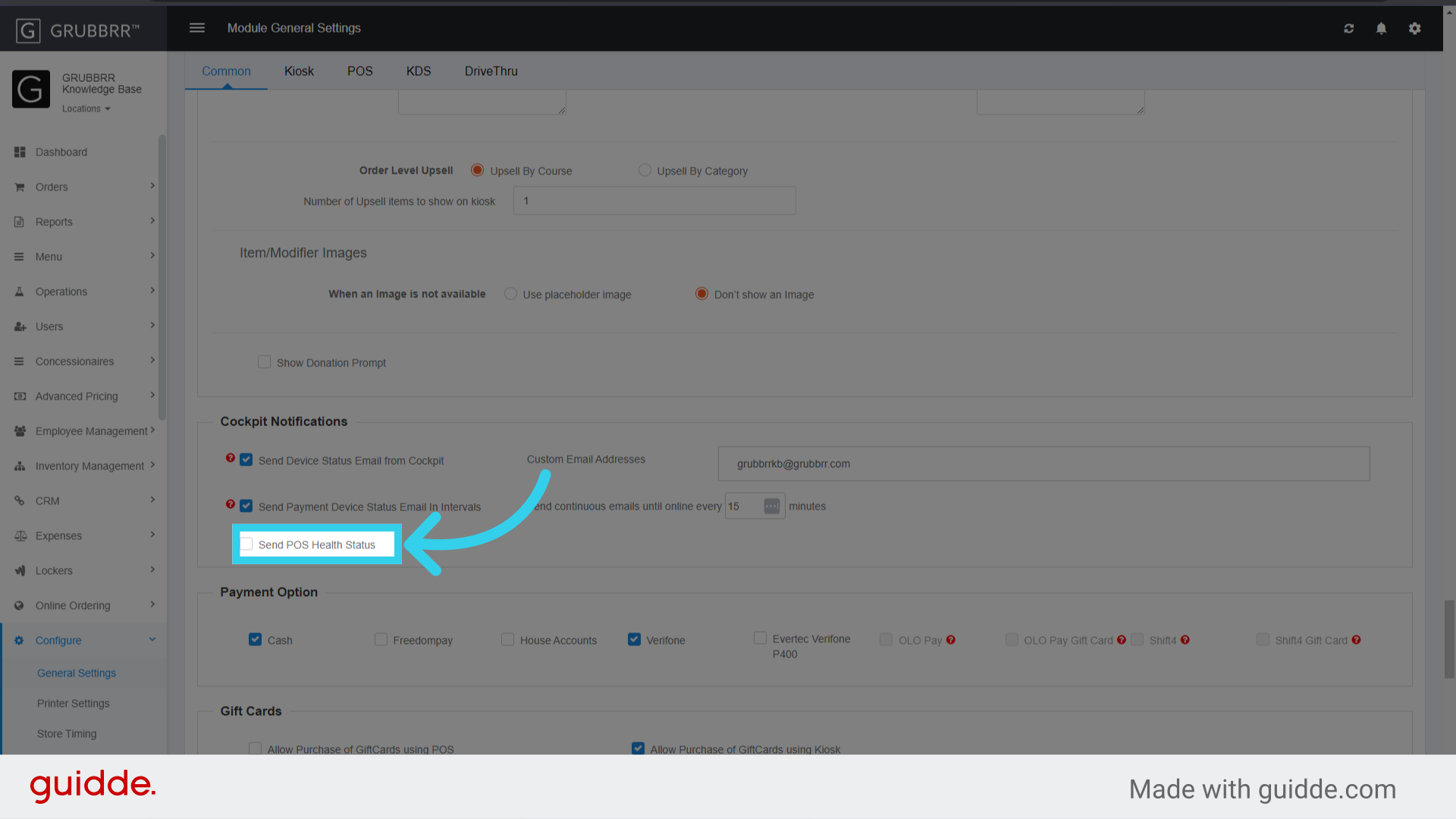
8. If desired, enable "Send every 15mins"

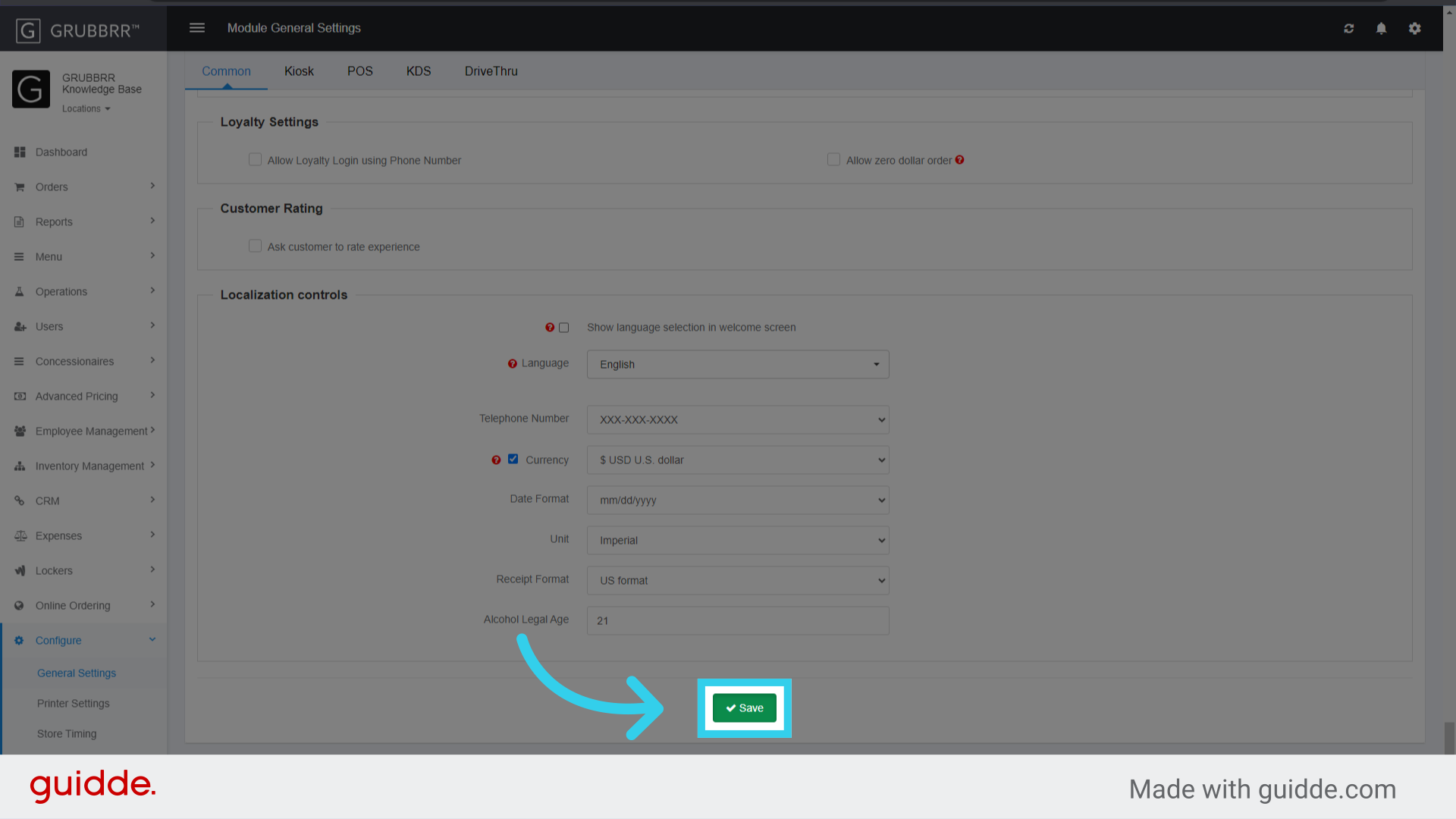
9. Click "Save" to apply your changes
How long does it take for the Cockpit to Update?
It's important to note that your GRUBBRR Kiosk isn't in a state of constant communication with the GRUBBRR Portal. Instead, the Portal will look for a "heartbeat" from your Kiosks if a certain amount of time passes without activity. If your Kiosk loses connectivity (i.e., because the device is unplugged, or the local network goes down), it can take up to 15 minutes to reflect that the device is offline. However, when the device comes back online, it will generally send a "heartbeat" to the system within one minute.
On rare occasions, this can create a situation where we receive a "Device offline" notification after the device has already come back online. If this happens, don't worry! Our system will continue to monitor the status of the device, and will alert you if the device goes back offline.