Olo FAQ: How GRUBBRR Order Types align with Olo Handoff Modes
Last updated: August 8, 2026
How do GRUBBRR Order types map to "Handoff Modes" in Olo?
In many POS integrations, GRUBBRR supports dynamic Order Type Mapping. This allows us to assign the "Dine In" option on the Kiosk to a specific order type in the client's POS. Olo does not support this functionality. In Olo, the different order types are called "Handoff Modes," and they are hardcoded to specific GRUBBRR order types, as outlined below:
| GRUBBRR Order Type | Olo Handoff Mode |
| Dine In | Dine In |
| Take Out | Pickup |
| Curbside* | Curbside* |
*Please confirm with Engineering before attempting to go live with this order type
The way that these order types are mapped can directly impact a client's Kiosk implementation strategy. For example: consider a client who wants to create a "Kiosk only" promotion in Olo. They only use "Pickup" for their online menu, so they map the promotion to the "Dine In" Handoff Mode in their system. However, their Kiosk includes both Dine In and Take Out order modes. Now, when guests attempt to redeem the promotion at the Kiosk:
- Guests who select "Dine In" on the Kiosk and enter the coupon code will receive the promotion
- Guests who select "Take Out" on the Kiosk and enter the coupon code will receive an error saying the promotion is not valid, because the code hasn't been mapped to the "Pickup" handoff type
In this scenario, the "Kiosk only" promotion would only work for all guests if the client limits the Kiosk to Dine In orders only; otherwise, it will just lead to frustration for guests and the client alike.
Workarounds
We do have a workaround for the scenario above. While the relationship between GRUBBRR's order types and Olo's handoff modes is hard coded, the Order Type Label configured in the GRUBBRR portal is not. This means we can change what the Kiosk calls different order types, while still respecting Olo's requirements. To do so:
1. Click "Configure"

2. Click "General Settings"
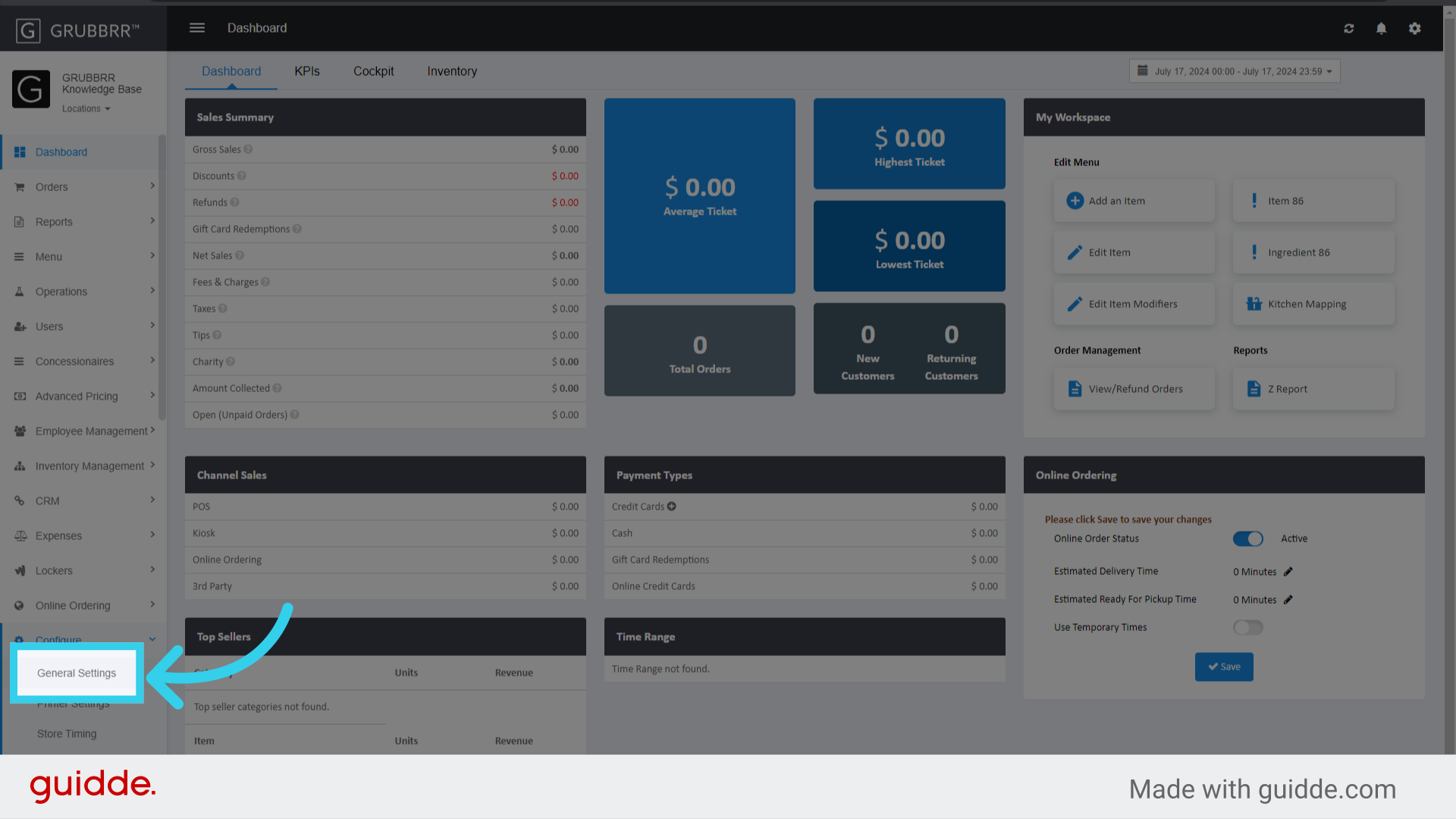
3. You can change the Display Labels for Dine In...
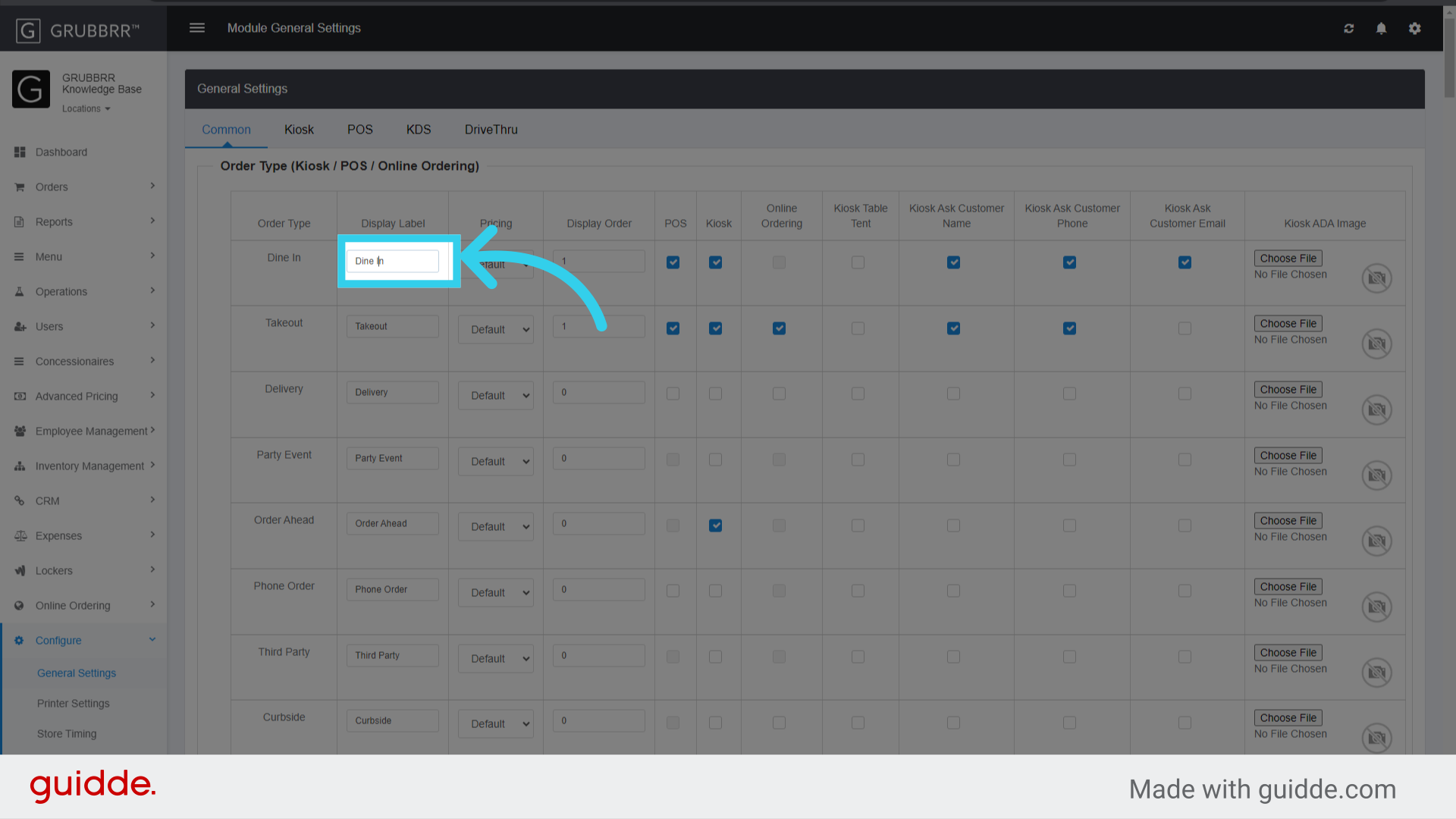
4. ..."Takeout,"...

5. And "Curbside" ordering from this screen

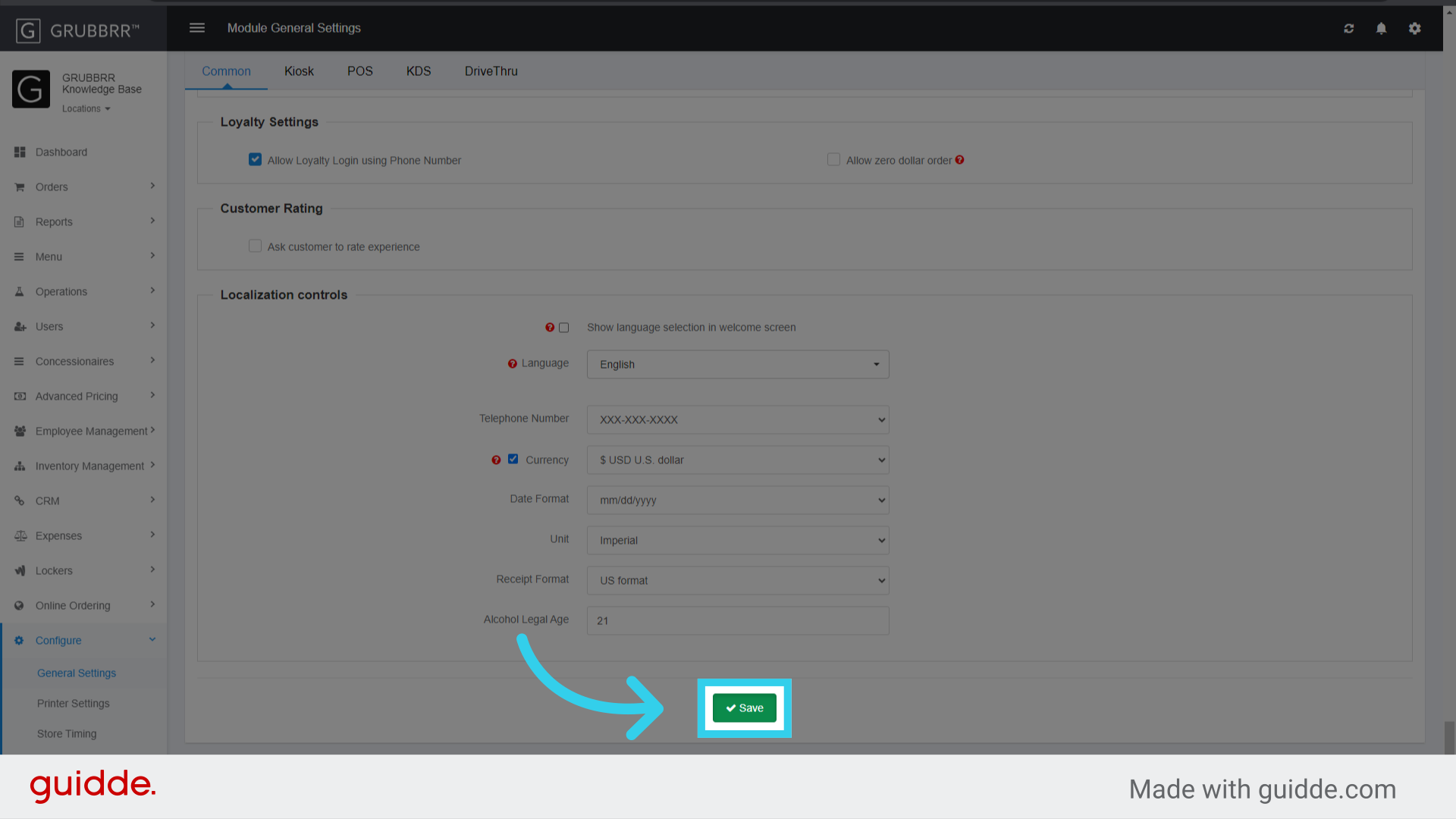
6. Click "Save" to apply your changes
OVF Failures Resulting from Improper Handoff Mode Configuration
If an item is not mapped to a particular handoff mode (i.e., the item is available for Dine In but not for Pickup ordering), users may encounter the following error on the Kiosk:
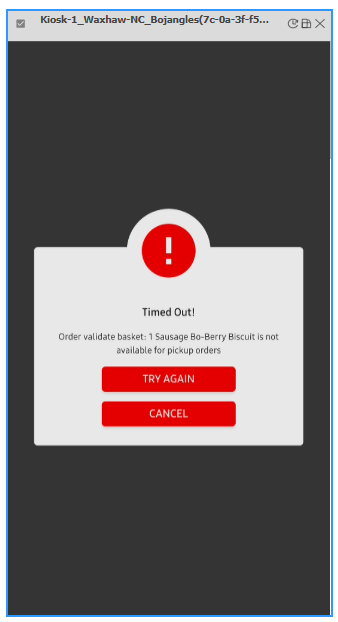
If we encounter this error, we will need to reach out to the client to adjust the item in Olo. Once the item has been updated, we should sync the menu and take a test transaction to ensure that it's working as intended.