How to Enable SMS Order Notifications in Toast
Last updated: October 12, 2026
Your GRUBBRR Kiosks operating on version 14.9+ can send order ready notifications to customers via SMS. However, we can only use this feature if we receive confirmation that an order has been completed from your POS system. To send us these notifications, you'll need to sign into the Toast management portal, then complete the steps outlined below.
Go to www.toasttab.com
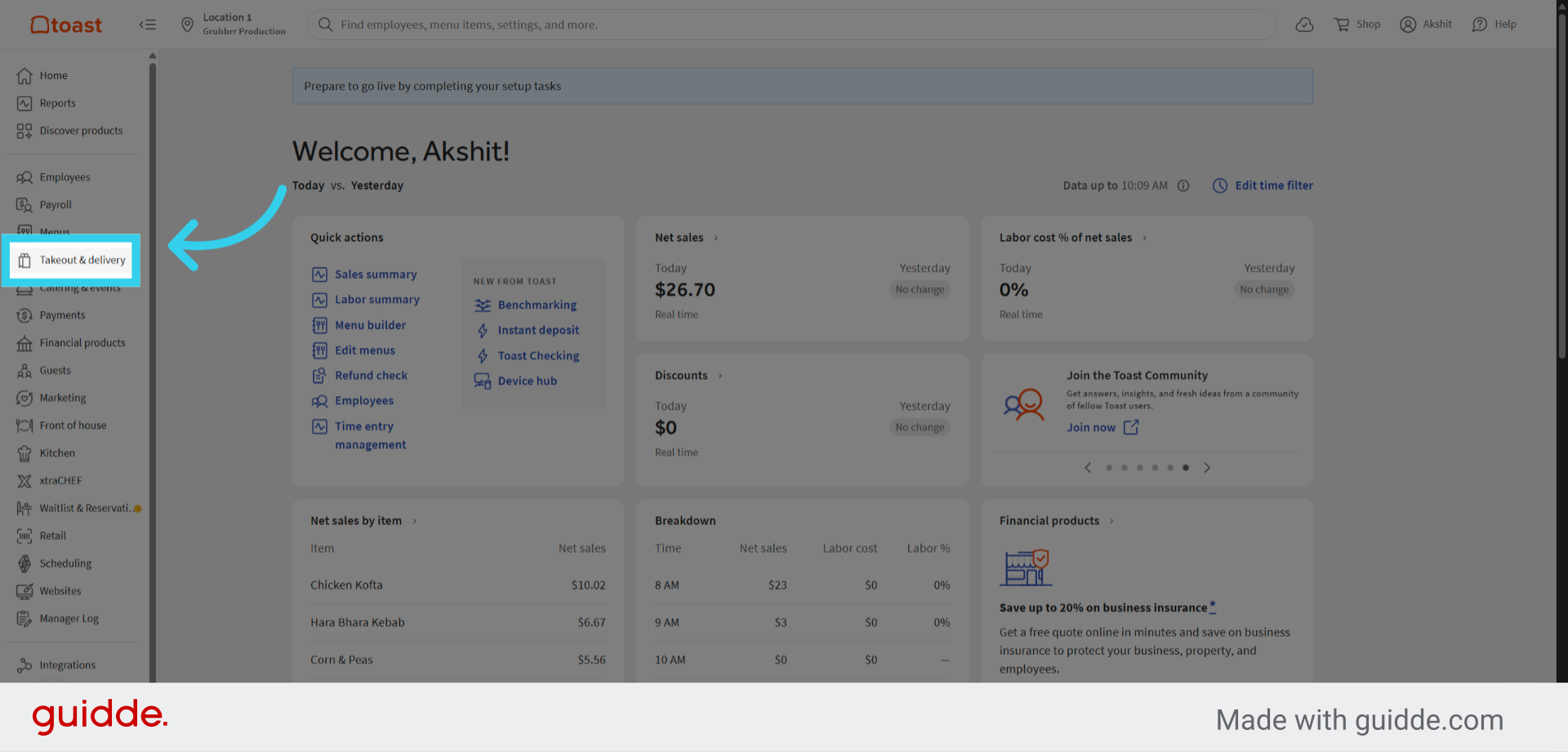
1. Click "Takeout & delivery"
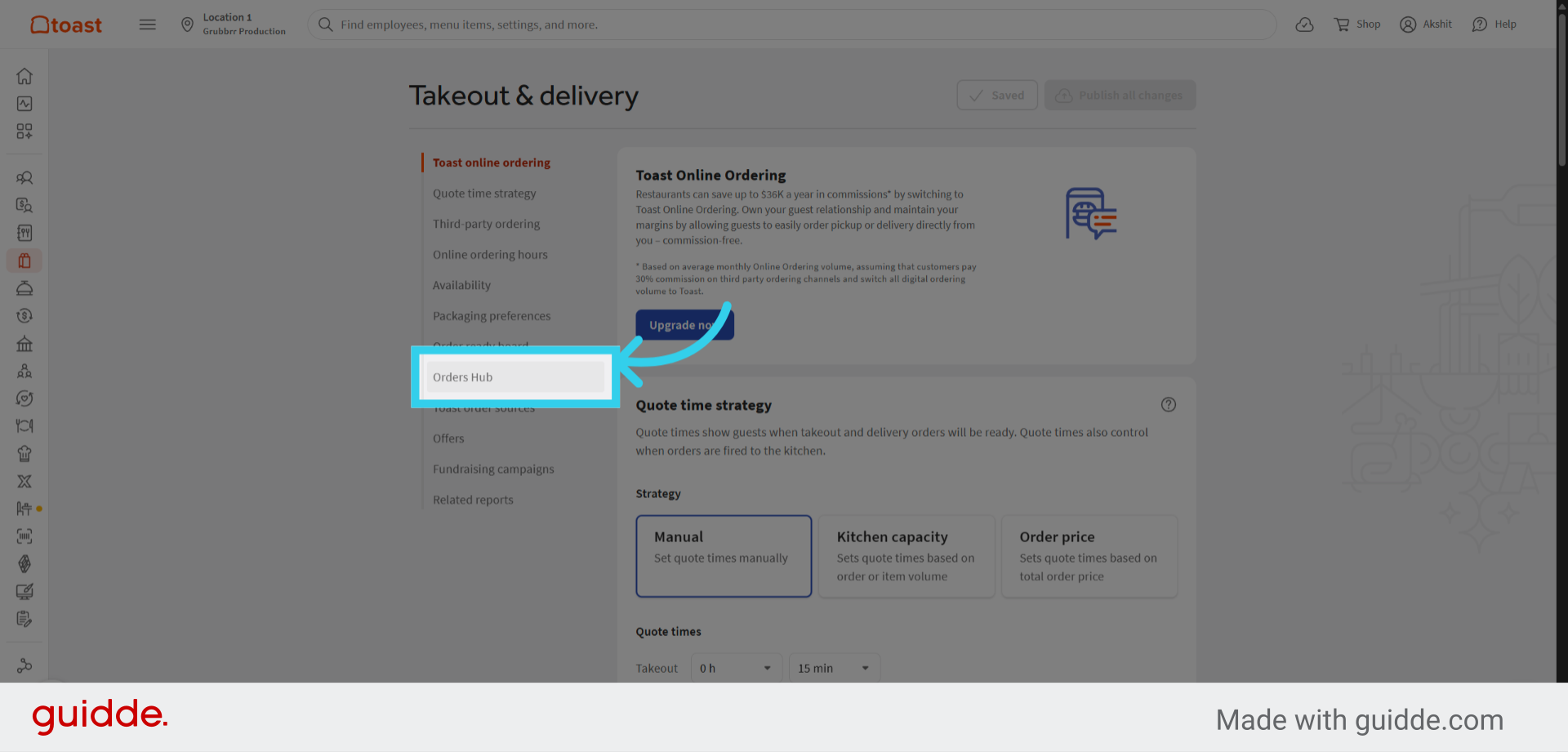
2. Click "Orders Hub"
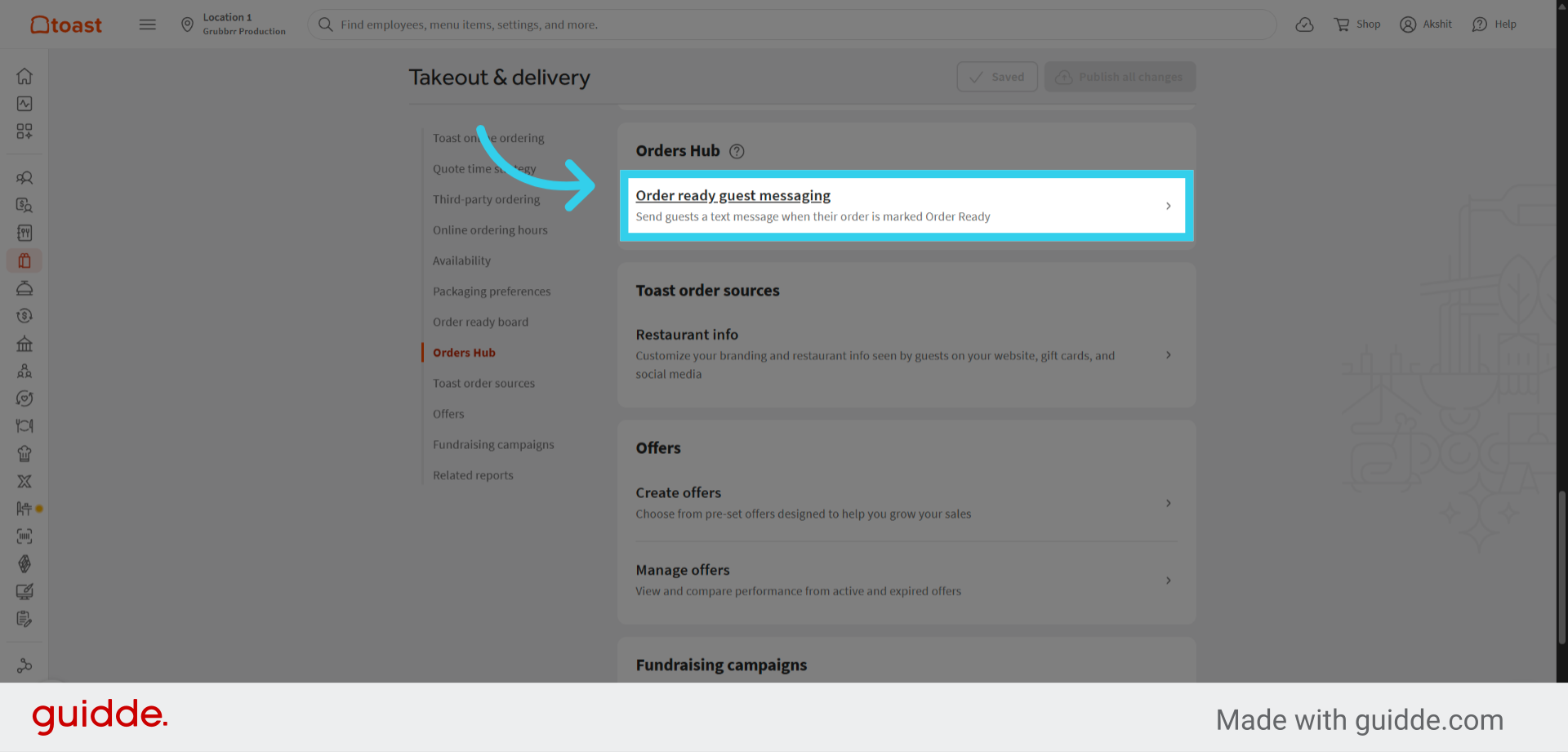
3. Click "Order ready guest messaging"
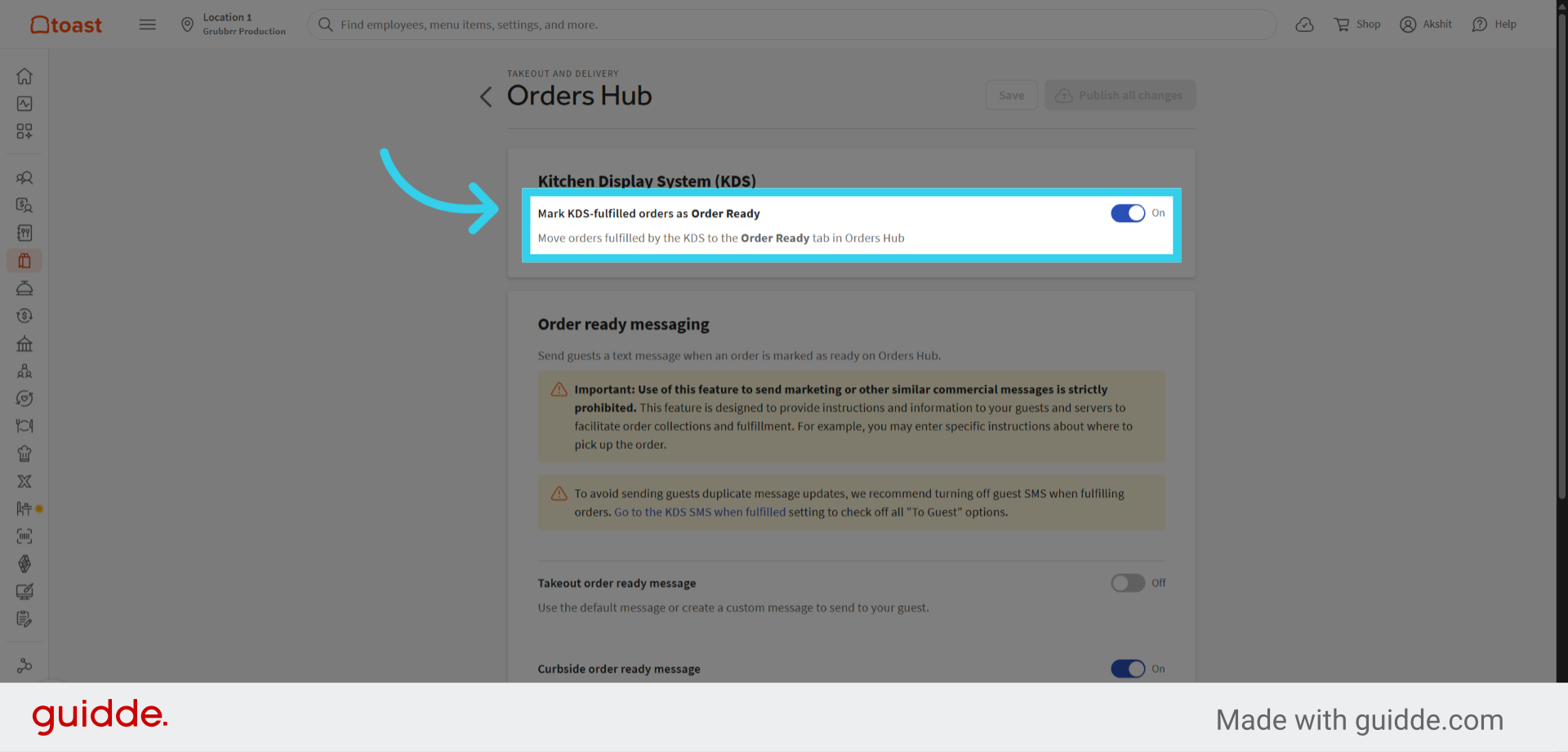
4. Toggle the "Mark KDS fulfilled orders as Order Ready" flag on
This will allow GRUBBRR to receive confirmation when an order has been completed, so that we can send an SMS notification to the customer.
For more details, check out Toast's official guide, available here.