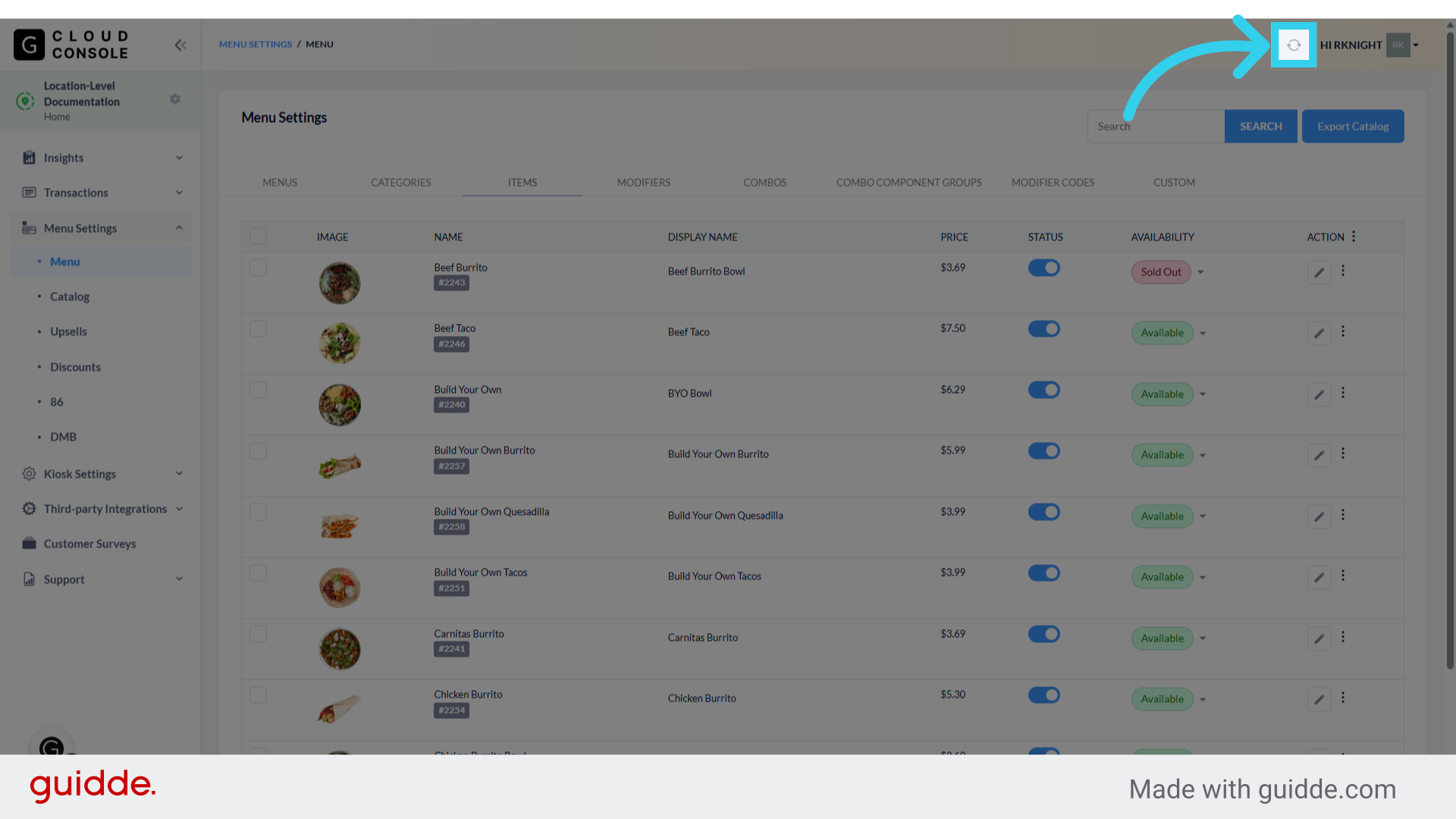
How to Manage Item Availability through the GRUBBRR Console
Last updated: August 21, 2026
While the GRUBBRR console will use scheduled syncs and/or webhooks (depending on our POS integration) to automatically update item availability, there will be times where we need to manually mark items as available or sold out. We can update item availability for a location directly through the items tab of the Menu Manager by following the steps outlined below.
Go to console.grubbrr.com
1. Click "Menu Settings"

2. Click "Menu"

3. Click "Items"

4. We can use the "Availability" column to manually mark items as Available or Sold Out from this screen
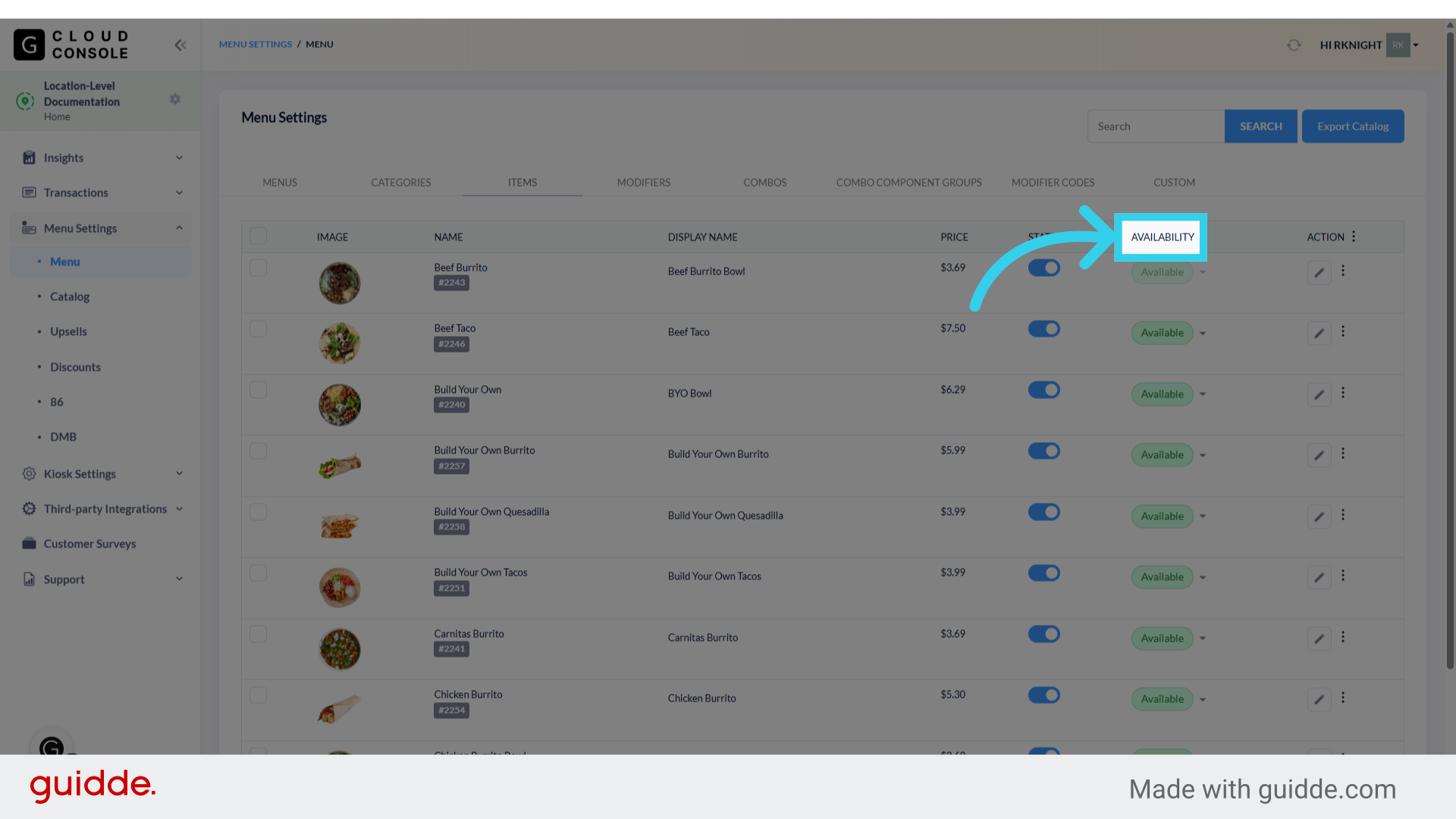
5. Simply click the highlighted toggle

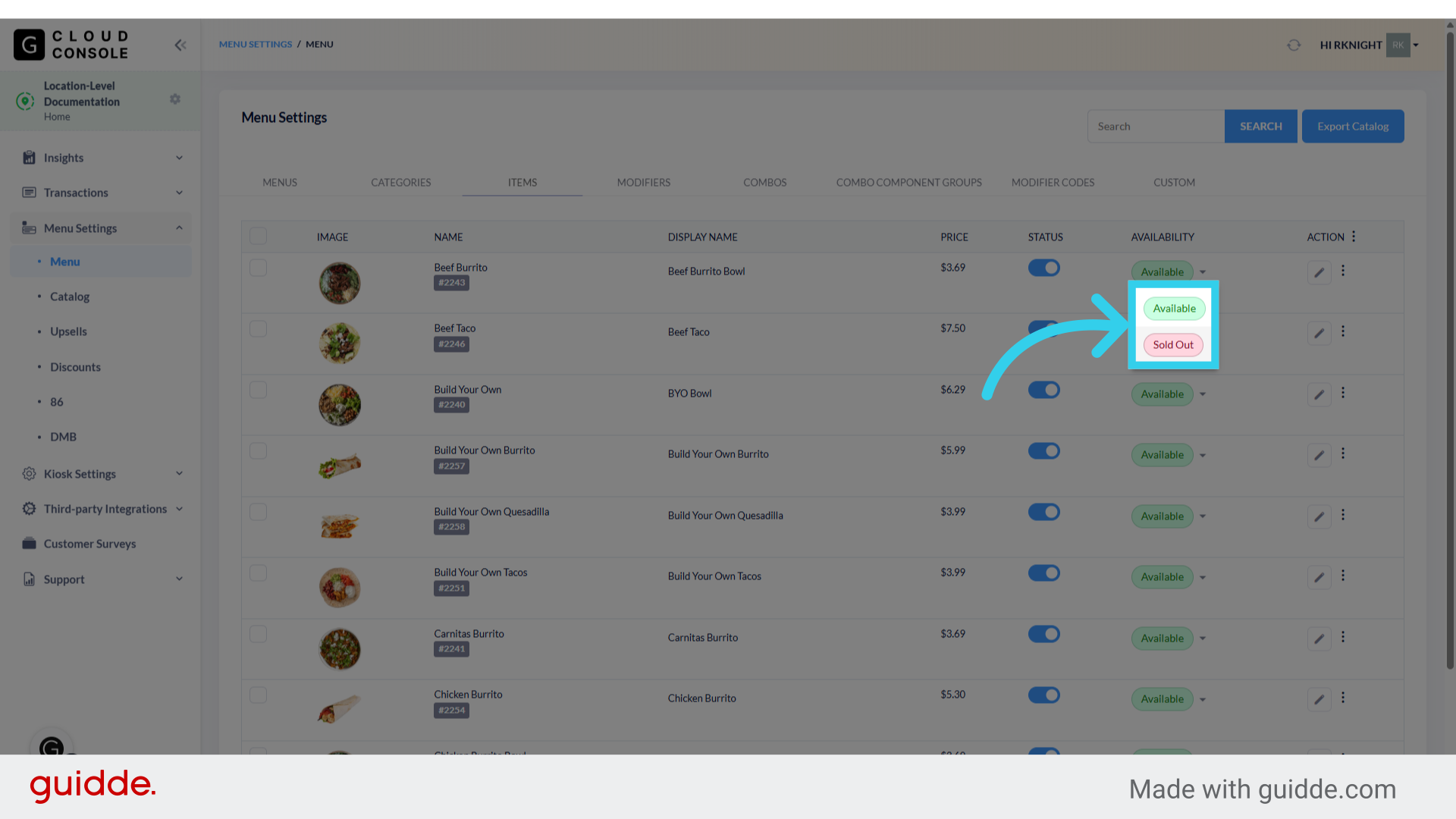
6. And select the appropriate status from the dropdown
7. Once you've finished updating your menu, you can sync the changes to your Kiosk