How to Update Samsung Kiosks via the GRUBBRR Portal
Last updated: August 8, 2026
Can I push an update to a Samsung Tizen Kiosk without using MagicInfo?
Updating Samsung Kiosk Builds via the GRUBBRR Portal
If a client uses version 12.3 or later of our Samsung Tizen Kiosk application, we can push updates directly to their device from the GRUBBRR Portal. This feature lets us quickly roll out updates to a location without using MagicInfo. Please note: while we can use this feature to roll a kiosk back from 12.0 to an earlier version, the process only works one way; you'll need to use MagicInfo or another build update method to bring the device back to 12.0 or later. To update an app build through the GRUBBRR Portal:
Get the Appropriate Build
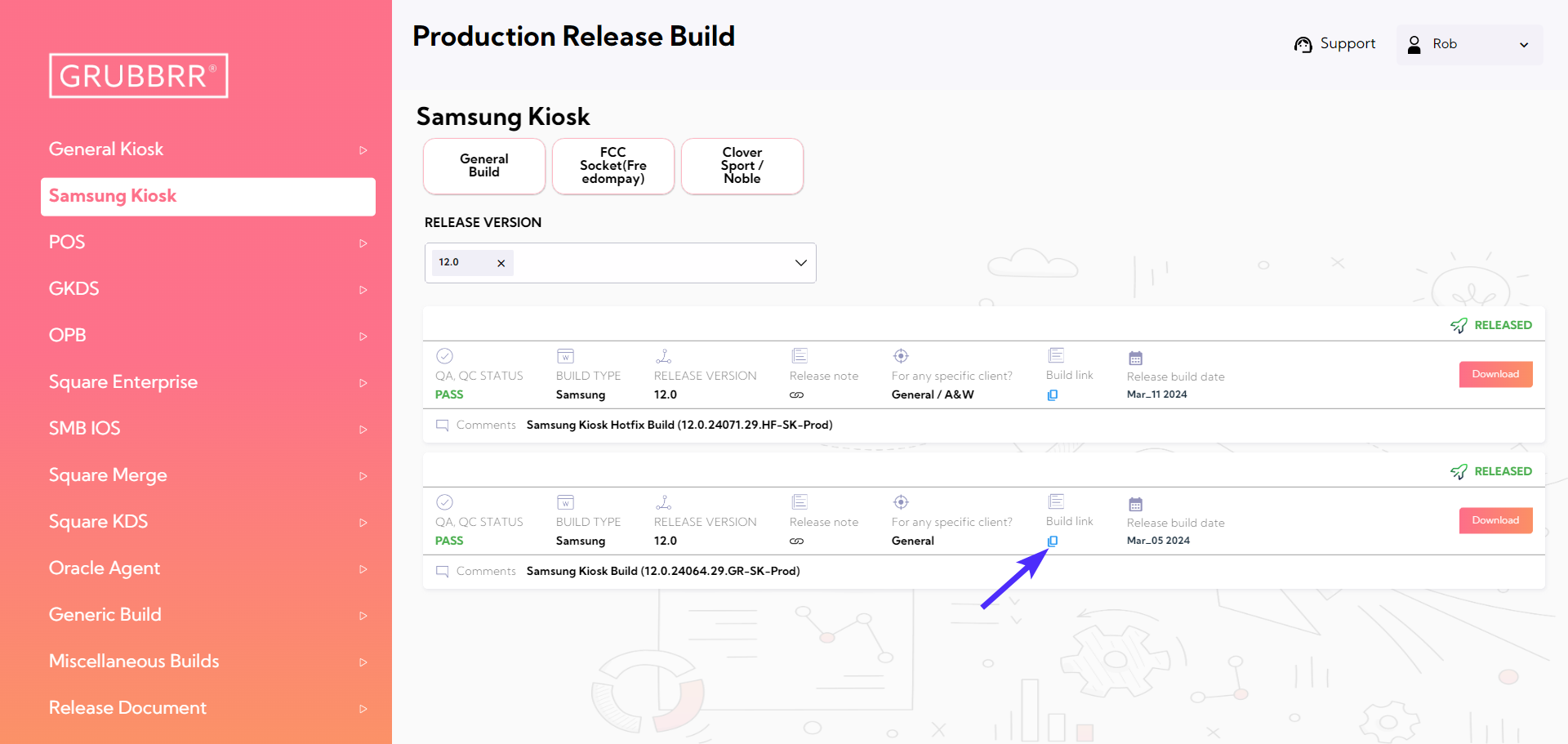
Before beginning, you'll need to pull the appropriate build from the GRUBBRR Build Site. Copy the direct link for the build by clicking the blue Build Link button, as pictured below.
Update the Build
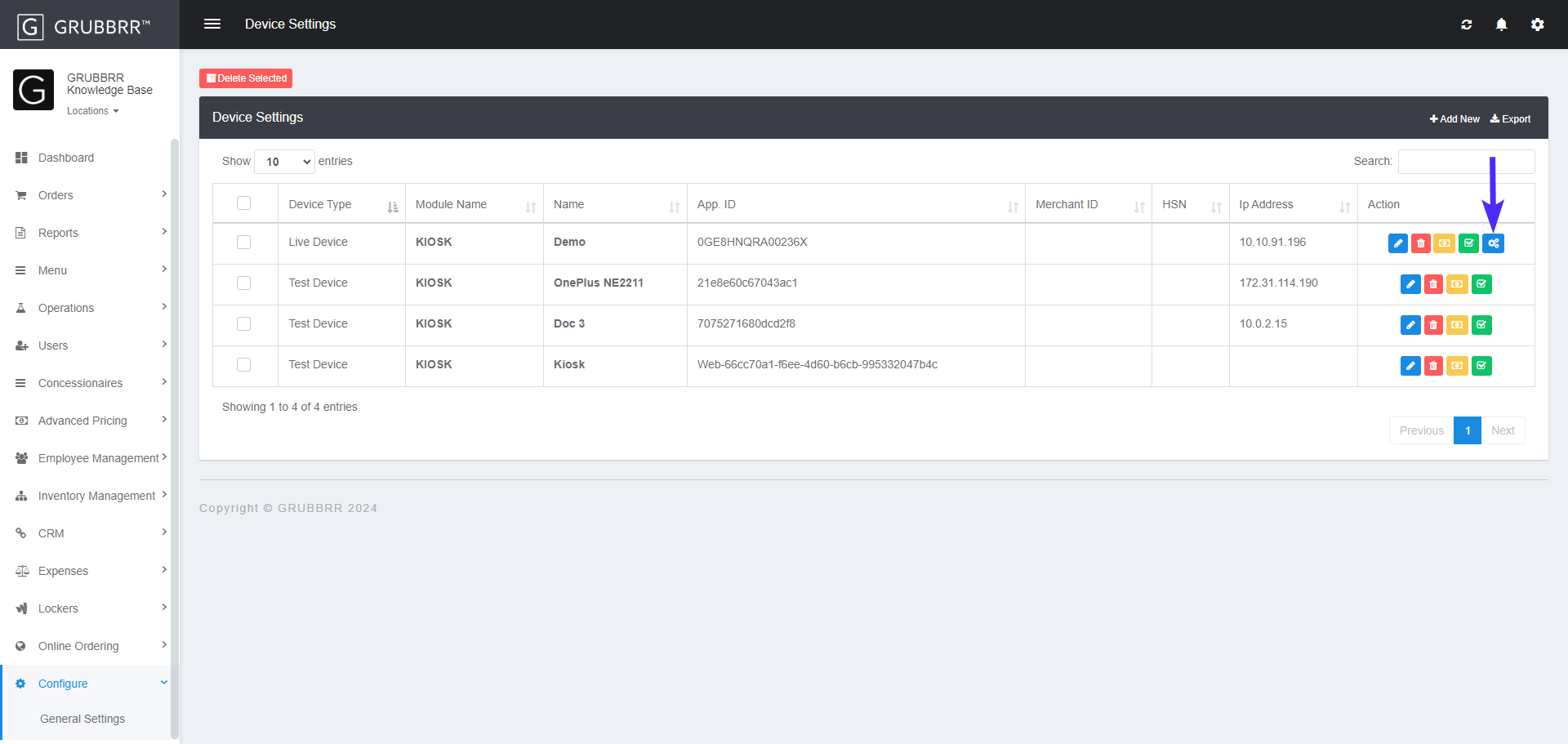
- Sign in to the Client's Portal at the Location level
- Select Configure in the left sidebar
- Select Device Settings from the dropdown menu

- Click on the blue Update Kiosk Build button in the Action Column for the device you want to update
- Paste the direct link to download the build into the space provided, then click Push to Kiosk

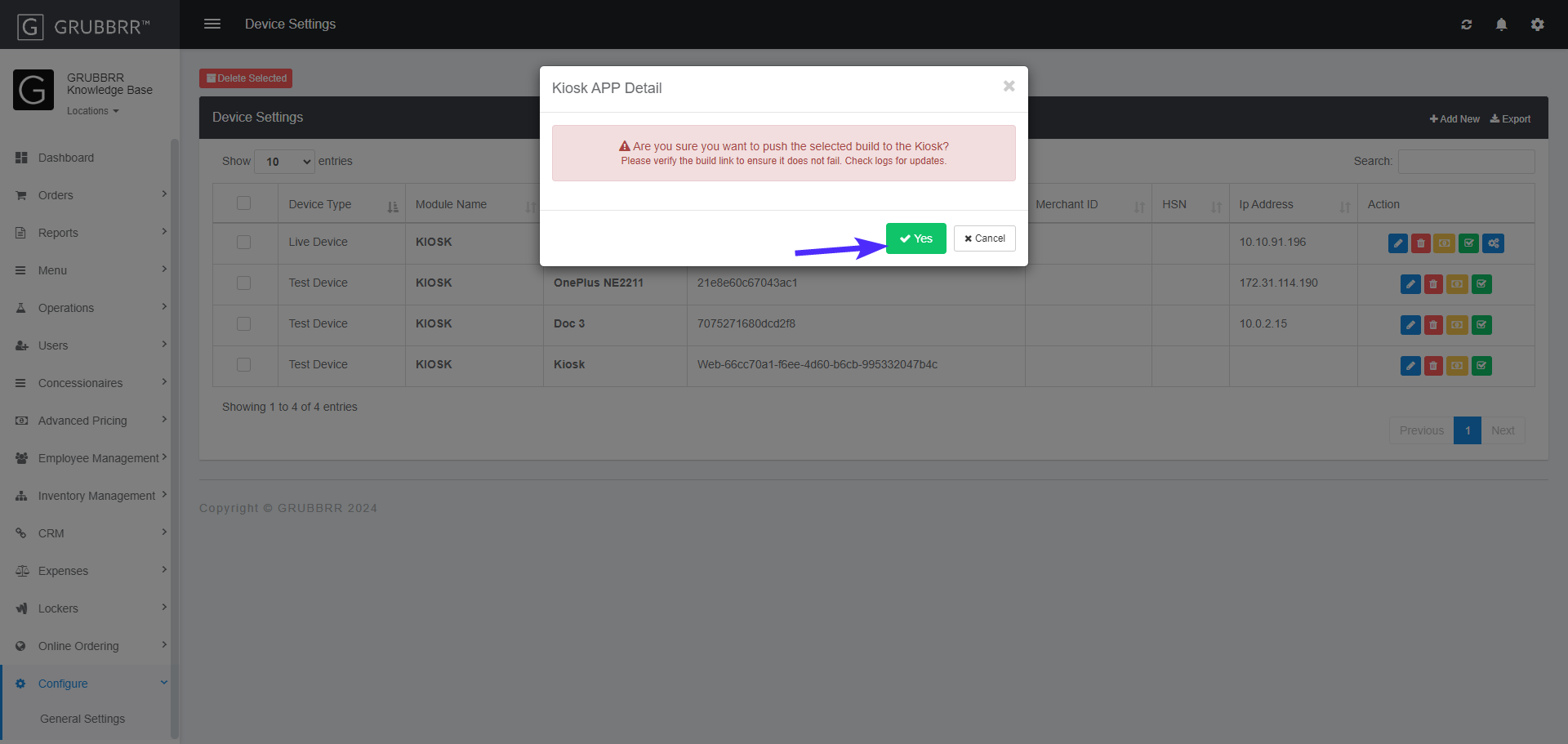
- Click Yes to confirm the build push
Once your request is submitted, the Portal will notify the client's kiosk. As long as the device has an active Internet connection, the system will automatically uninstall the old build, install the new one, and sign back in to the app.