How to use Locale Controls in the GRUBBRR Console
Last updated: August 8, 2026
My location isn't in the US. How do I change the Kiosk UI to match the currency, date, and time settings for my locations?
The "Locale Settings" in the GRUBBRR Console allow us to configure how date, time, and currency information is displayed on a client's Kiosks. These settings can be configured at the location level by following the steps below.
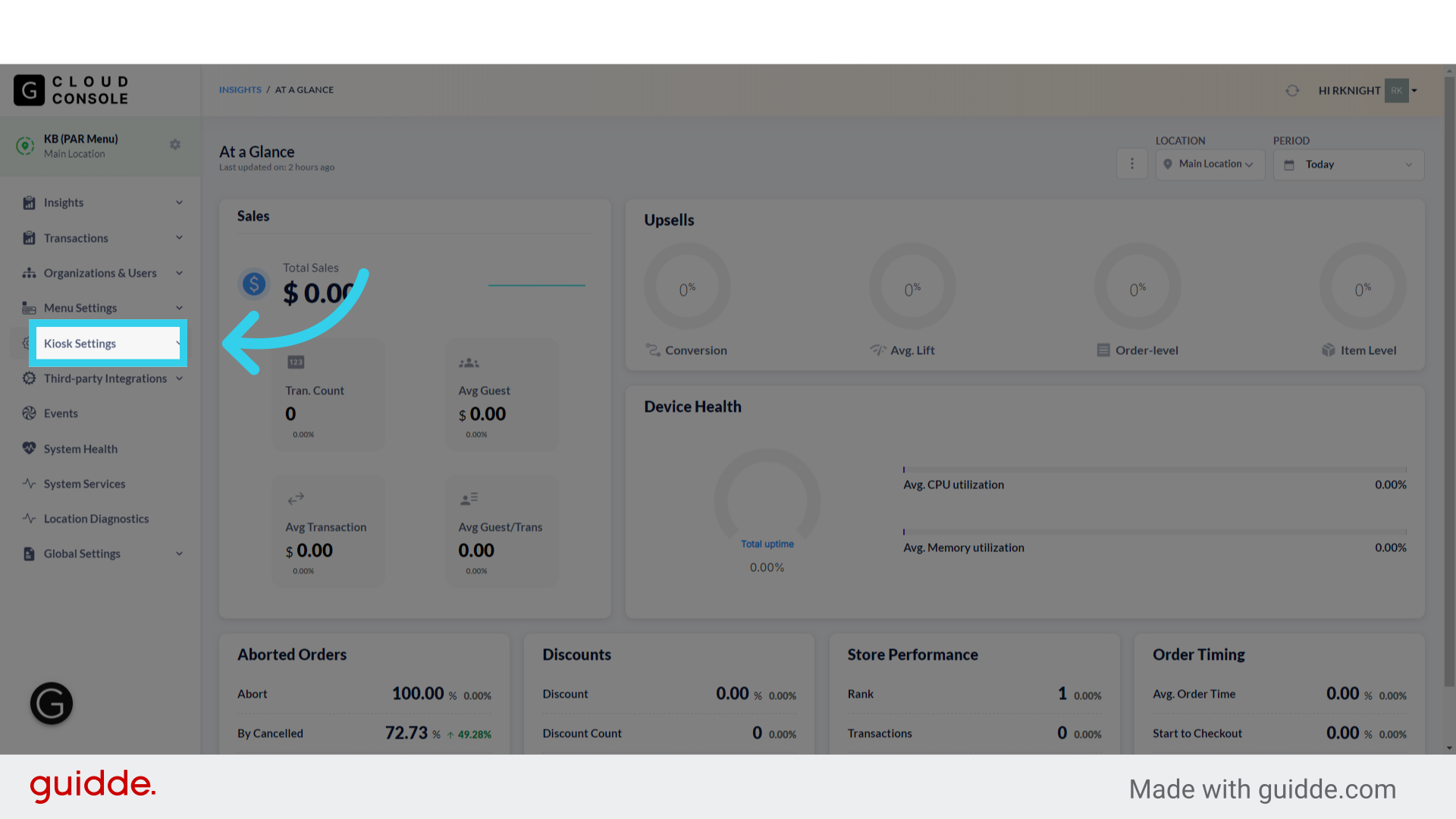
1. Click "Kiosk Settings"
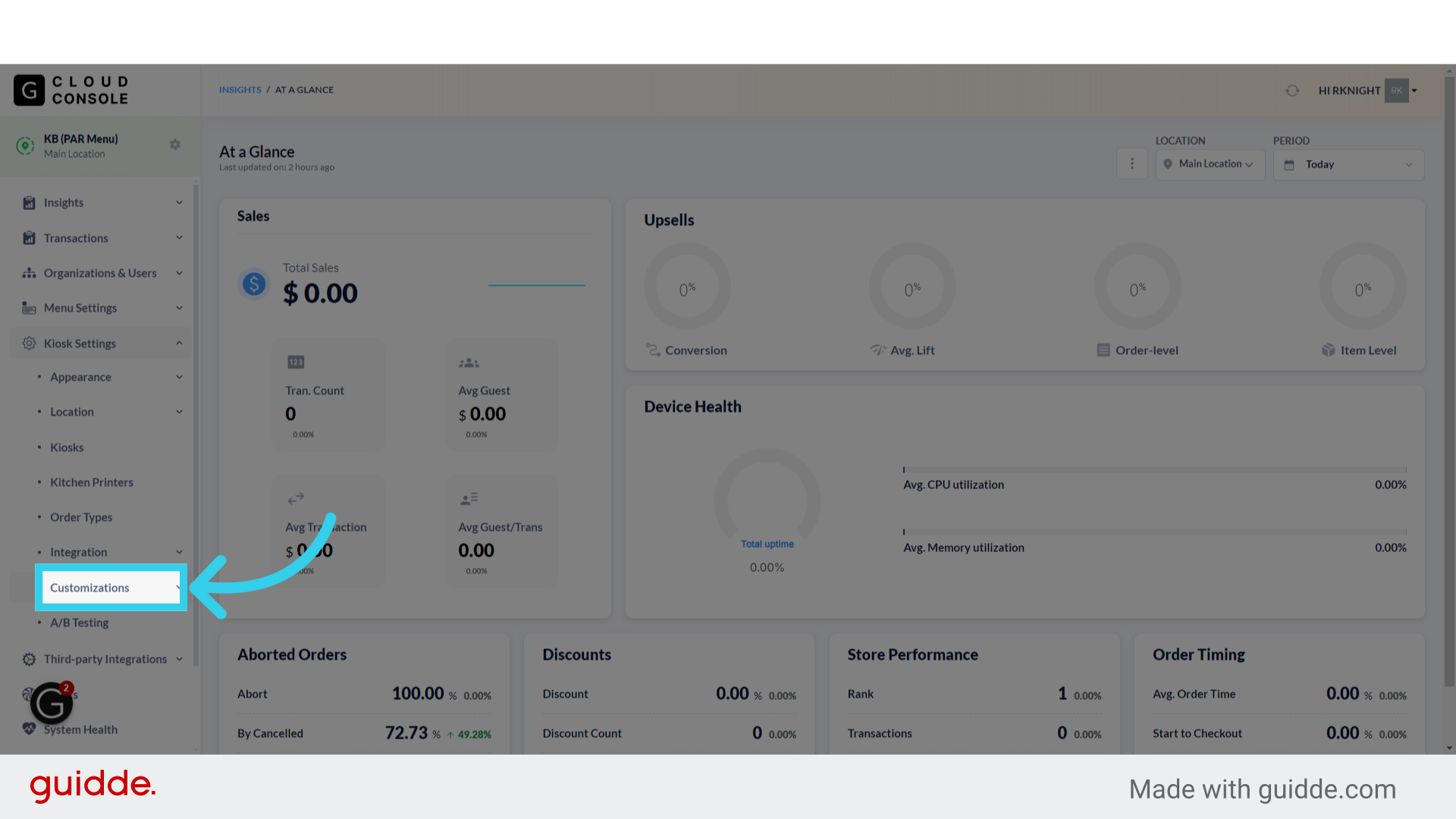
2. Click "Customizations"
3. Click "Locale"

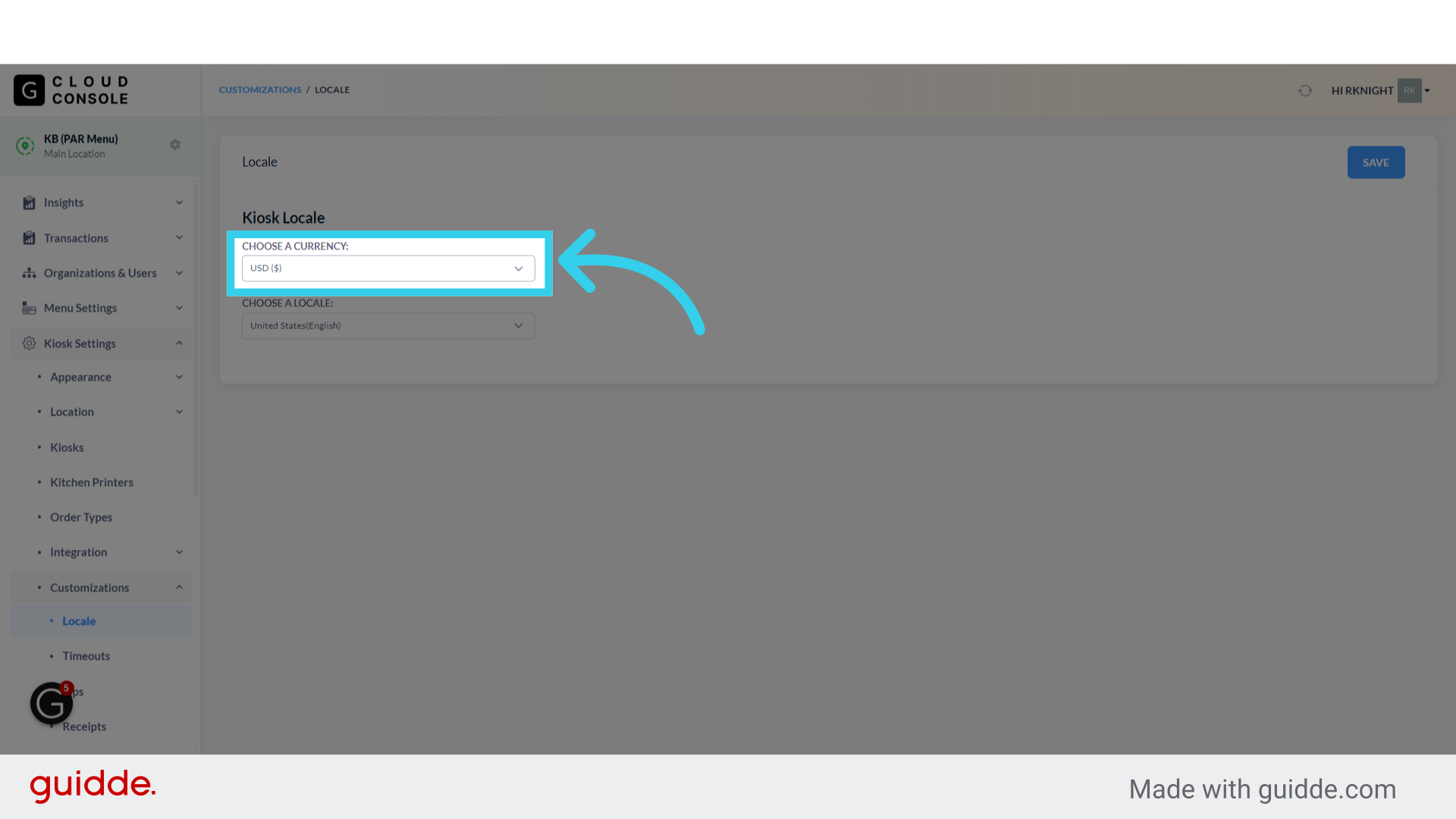
4. The "Currency" option allows us to configure how prices and orders are shown on the Kiosk
At this time, the console supports US Dollars, Canadian Dollars, Euros, and British Pounds
5. The "Locale" setting controls how Date and Time information are formatted on the Kiosk
If the locale is set to "Spain," the Kiosk will also replace the decimal points in prices with commas

6. Click "Save" to apply your changes
